← Home Photos Replies Archive About Also on Micro.blog
  • Avatar Images

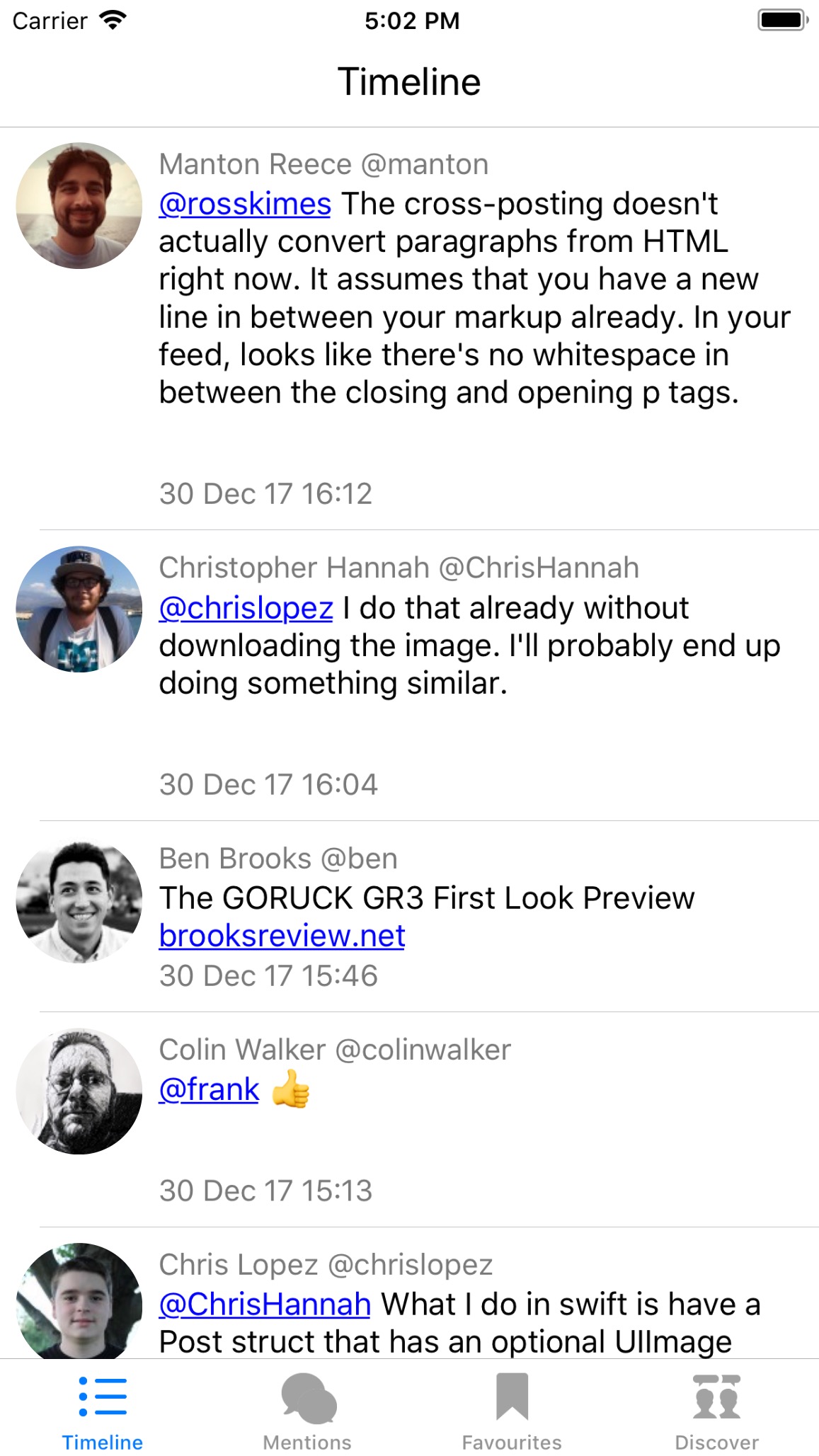
    The avatar images “work”!

    I have them displaying properly, downloading properly, and also using placeholders when it hasn’t been downloaded yet.

    Images also cache up to a predefined limit, and are stored with the URL as a key.

    The only thing left, is to then update whatever is presenting the placeholder image, when the real one has finished downloading.

    → 5:05 PM, Dec 30
  • I just moved one section of code in my Micro.blog app that dealt with parsing the content of a post, and sorting out the images.

    Massive increase in speed.

    Now the list of posts can’t scroll any faster!

    → 1:30 PM, Dec 30
  • Insights Into the Performance of My Blog

    A few months ago, I started working on my own analytics service for my blog. I did this for many reasons, but ultimately for control and user privacy.

    I only actually ever store four pieces of data:

    • Website Title
    • URL
    • Referral URL (Only if it’s been given)
    • Date Accessed

    So while there’s not much data there, I can track everything I need, so like visits per day, per post, and I can get an idea of where traffic is coming from.

    There have been occasions where the service, which I named “Minilytics”, has gone down though, so I can’t say I’ve tracked all the visits. But I’ve got a few things to share.

    Performance

    I made nice SQL query that shows me the performance of the site for each day. I use the view count for that day, and run it through a few conditions that will then output a string that I’ve manually set up. It’s not as exact as viewing the view count, but much easier to visualise.

    Site Performance.mov

    Monthly View Count

    Again, this isn’t totally accurate as these numbers may be higher and it hasn’t tracked them. But this simple count of views from each month, is a good way to check the general increase/decrease in visits over time.

    Screen Shot 2017-12-29 at 10.28.33.png

    I’m going to try writing some more queries soon, and see what other insights I can pull from the data. But overall I think the site has been getting a lot more traffic recently! Especially since I moved the blog over to WordPress a few days ago. My guess is that the WordPress installation has better meta tags, descriptions, and stuff that search engines like.

    → 11:29 AM, Dec 29
  • SpaceX Falcon 9 Rocket Launch Timelapse → blog.chrishannah.me/spacex-fa… 🚀🌌

    → 3:02 PM, Dec 28
  • ☕️ ☕️ ☕️

    → 7:20 AM, Dec 28
  • As usual, it’s Christmas day and my body still forces me to wake up early.

    I’m 25, but apparently 9am is the latest I’m allowed.

    → 9:25 AM, Dec 25
  • “But you’re English?” I don’t care! 🇩🇪

    → 3:22 AM, Dec 25
  • Some more progress on my Micro.blog iOS project today!

    I have Timeline, Mentions, Favourites, and Discover page working. And I’ve only just finished the polling for new posts!

    → 8:37 PM, Dec 24
  • I’ll just leave this here…

    → 3:50 PM, Dec 23
  • Little book for a little club.

    → 11:37 AM, Dec 21
  • Turns Out, Apple Are Slowing Down Phones!

    Matthew Panzarino writing for TechCrunch:

    Because of a Reddit post and the loose interpretation of subsequent benchmark tests posted by Primate Labs’ John Poole, the “Apple throttles old iPhones” meme has reared its ugly head again.

    The gist, as it always is, is that Apple is being super petty and trying to force customers to upgrade their phones by making their old phones run slower.

    As always, the answer is no. It would be beyond stupid and incredibly short-sighted for Apple to do this and, if it was actually true, would likely lead to tangles of a governmental and legal nature that no company like Apple would ever want to happen.

    Instead, Apple is focusing attention on smoothing out the very high and quick peaks of power draw that can cause problems with older batteries.

    Here is the statement Apple gave them:

    Our goal is to deliver the best experience for customers, which includes overall performance and prolonging the life of their devices. Lithium-ion batteries become less capable of supplying peak current demands when in cold conditions, have a low battery charge or as they age over time, which can result in the device unexpectedly shutting down to protect its electronic components.

    Last year we released a feature for iPhone 6, iPhone 6s and iPhone SE to smooth out the instantaneous peaks only when needed to prevent the device from unexpectedly shutting down during these conditions. We’ve now extended that feature to iPhone 7 with iOS 11.2, and plan to add support for other products in the future.

    I understand the transparency was probably the biggest issue here, especially as knowing hardware manufacturer will eventually slow down your devices without you knowing isn’t a good thing.

    However, what Apple actually did, with slowing down performance in certain peaks to ensure the battery lasted longer, and in some cases didn’t unexpectedly turn off, is a good thing.

    One solution would be to alert the users that had a bad performing battery, and then offered them to switch on a power management feature, and maybe even have a link to the iPhone section of the Apple Store!
    → 10:21 AM, Dec 21
  • The Last Jedi was amazing in so many different ways.

    I need to see it again!

    → 11:48 PM, Dec 20
  • It’s Last Jedi time!

    → 8:10 PM, Dec 20
  • Pokémon GO Will Soon Use ARKit!

    Pokémon GO Screenshots

    Coming straight from the Pokémon GO blog:

    Trainers, Get ready for even more realistic Pokémon encounters: AR+ is coming to Pokémon GO! AR+ leverages Apple’s ARKit framework to build on the AR work already implemented in Pokémon GO. Soon, Trainers around the world running iOS 11 on iPhone 6s and newer models can experience AR+ in Pokémon GO.

    I think nearly everyone has seen the incredible ARKit in action, and it’s going to add a lot of benefits to Pokémon GO:

    • Everything is based upon fixed locations, so the Pokémon should stick to their position and not move around everywhere.
    • The scale will be much more accurate, so a Pikachu will not be the same size as Gyarados.
    • Pokémon will now have a sense of awareness, meaning you may need to sneak around, otherwise you could scare it away. That’s certainly one great addition that is enabled by ARKit.
    • Because of the real world positioning, it will enable them to place Pokémon in more suitable locations, such as a Snorlax blocking your path!

    I can’t wait to start playing it again!

    Read the full announcement.
    Download Pokémon GO for iOS.

    → 5:30 PM, Dec 20
  • Better String in Swift Using Stryng

    If you write in Swift, then there’s a good chance you’ve tried to access a section (Substring) of a String.

    Usually it’s done by using an index, and an offset. But in some cases you need to specify the start index along with an offset, and also an end index with an offset.

    It gets a bit messy.

    Luckily I’ve just discovered Stryng on GitHub, and it’s a beautiful solution.

    There’s a ton of examples, and you should totally read the README even if you aren’t going to use it. But here’s my favourite:

    Before Stryng:

    let message = “One Two Three”
    message[message.index(message.startIndex, offsetBy: 4)..<message.index(message.startIndex, offsetBy: 7)] // “Two”
    

    After Stryng:

    let message = “One Two Three”
    message[4..<7] // "Two”
    

    🤩

    → 4:30 PM, Dec 20
  • Fluid Slider by Ramotion

    This has got to be one of the nicest sliders I’ve seen.

    “Fluid Slider - A slider widget with a popup bubble displaying the precise value selected.”(By Ramotion)

    😍

    Ramotion - Fluid Slider

    GitHub

    → 4:19 PM, Dec 20
  • Being Surprised by an Apple Watch App

    I was pleasantly surprised by an Apple Watch app yesterday! That’s certainly something that doesn’t happen often.

    It’s an app called Field Day, and it’s just a really simple version of the sort of farming games you get on iOS, where you have to grow crops, wait for a period of time, grow more, etc.

    But I was playing around with my watch yesterday, and I found the Field Day app installed. I had no idea what extra functionality could be achieved with such a thing.

    Turns out, it’s the entire game!

    And it’s completely playable.

    But not just playable, it ran like an iPhone app, and (although simple) it was showing 3D graphical models.

    My thoughts on what can be achieved on an Apple Watch have most certainly changed.

    Field Day - Apple Watch - Screenshots
    Field Day - Apple Watch - Screenshots
    → 8:30 AM, Dec 20
  • Sharing Blog Posts to Micro.Blog Using Workflow!

    In the latest update to Micro.blog for iOS, support was added for a URL scheme to start composing a post, and also a text parameter to include some text as well.

    I combined this with Workflow, to allow me to share snippets from any website, and then easily write about them here. All it uses, is the article’s author, the title, and the url.

    The format is:

    [Author](URL):
    > Text Snippet
    

    Pretty simple, but it speeds up my micro blogging workflow!

    I recorded the workflow running on my iPhone, and you can try out the workflow yourself

    → 10:59 PM, Dec 19
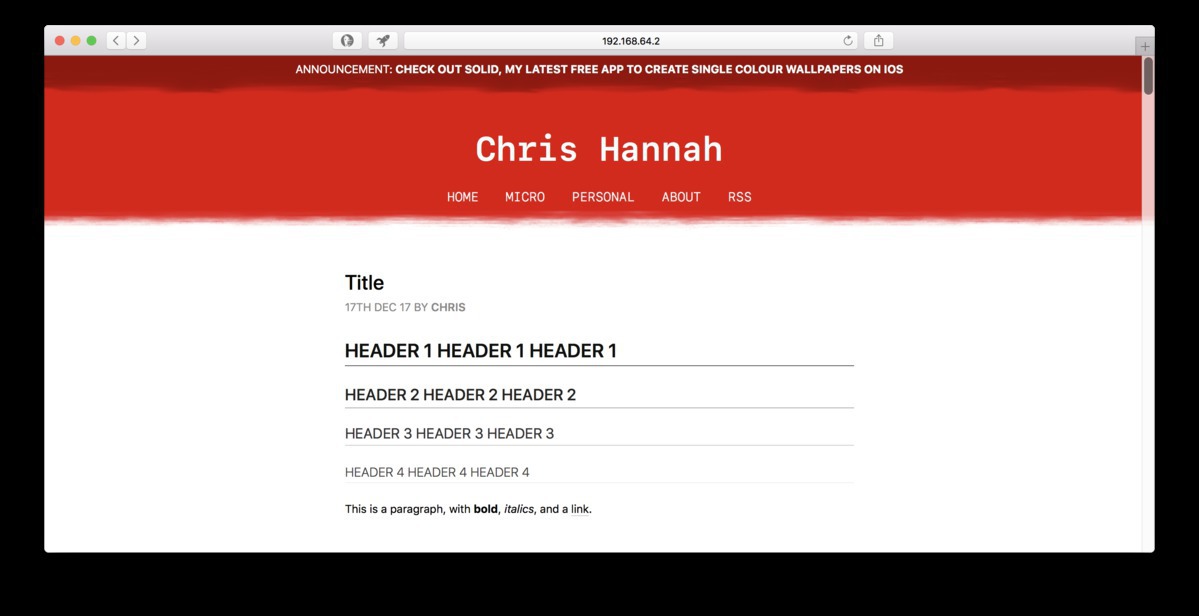
  • I’m liking the idea of having a temporary announcement section at the top of my blog! Blog with announcement message section

    → 10:36 PM, Dec 19
  • The redesign is going quite well!

    I think I have every “feature” in the new theme, apart from better styled code blocks.

    But I’m adding a bit of colour and personality to it this time.

    → 5:51 PM, Dec 17
  • I’ve now started the long process of moving my blog from Ghost to WordPress. Starting with getting the current theme working.

    It’s a lot easier than I remember, but I can certainly see that theme development in Ghost is just so much simpler.

    → 10:15 PM, Dec 16
  • Another Perspective on "Pro"

    Just another perspective on the iMac Pro and generic “Pro" definition debate:

    What if a “Pro" user had nothing to do with their understanding of how the device works, or the ability to fix any potential issues, but instead a user that uses a device for professional purposes.

    For example, a video editor, music producer, and even some designers and developers, don’t need to know the intricacies about their Mac. They just need it to be able to do what they need to do for their role. And that still makes them a Pro user.

    → 11:48 PM, Dec 12
  • 🌅⛄️

    → 5:14 PM, Dec 11
  • I’ve finished my big (1700 words) year in review post.

    But now the dilemma is: when should I post it?

    → 1:04 PM, Dec 11
  • 🌅 ⛄️

    → 9:13 AM, Dec 11
Page 1 of 9 Older Posts →
  • RSS
  • JSON Feed
  • Micro.blog